MyVyBZ Support
How can we help? Search for an answer or send us a support request.
Sync With The Web
How to sync your Secondlife account with the web
Method 1: Sync Using Your HUD or an Info Kiosk
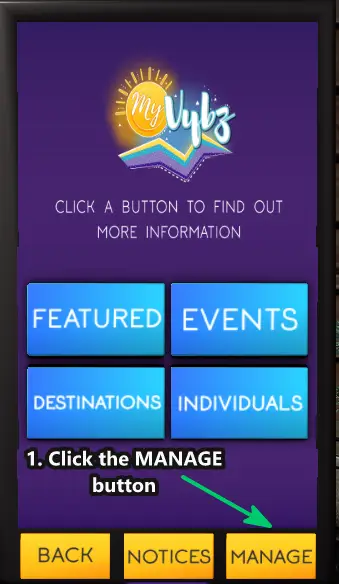
First, open your MyVyBZ HUD or visit a MyVyBZ Info Kiosk.- Click MANAGE.
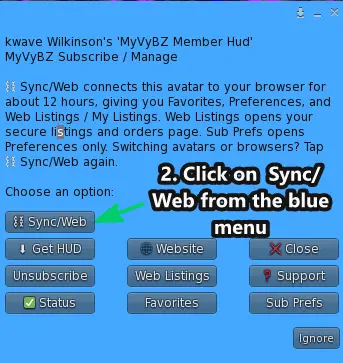
- Click 🔗 Sync/Web from the blue menu.
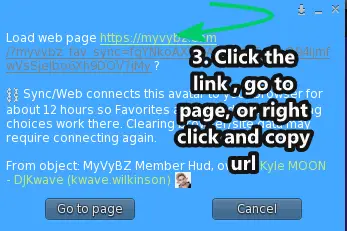
- Click the link or Go to Page button, or right-click to copy the URL and paste it into your preferred web browser.
Method 2: Sync Using a Verification Code
We’ve added another way to sync! If you’re on mobile or don’t want to open your HUD, you can request a verification code in-world and use that code to connect to MyVyBZ on the web. This method provides the same web access as syncing through your HUD or an Info Kiosk, including managing preferences, viewing your listings, favoriting content, and sending notices for eligible active products. The same synced-session limit of up to 12 hours applies.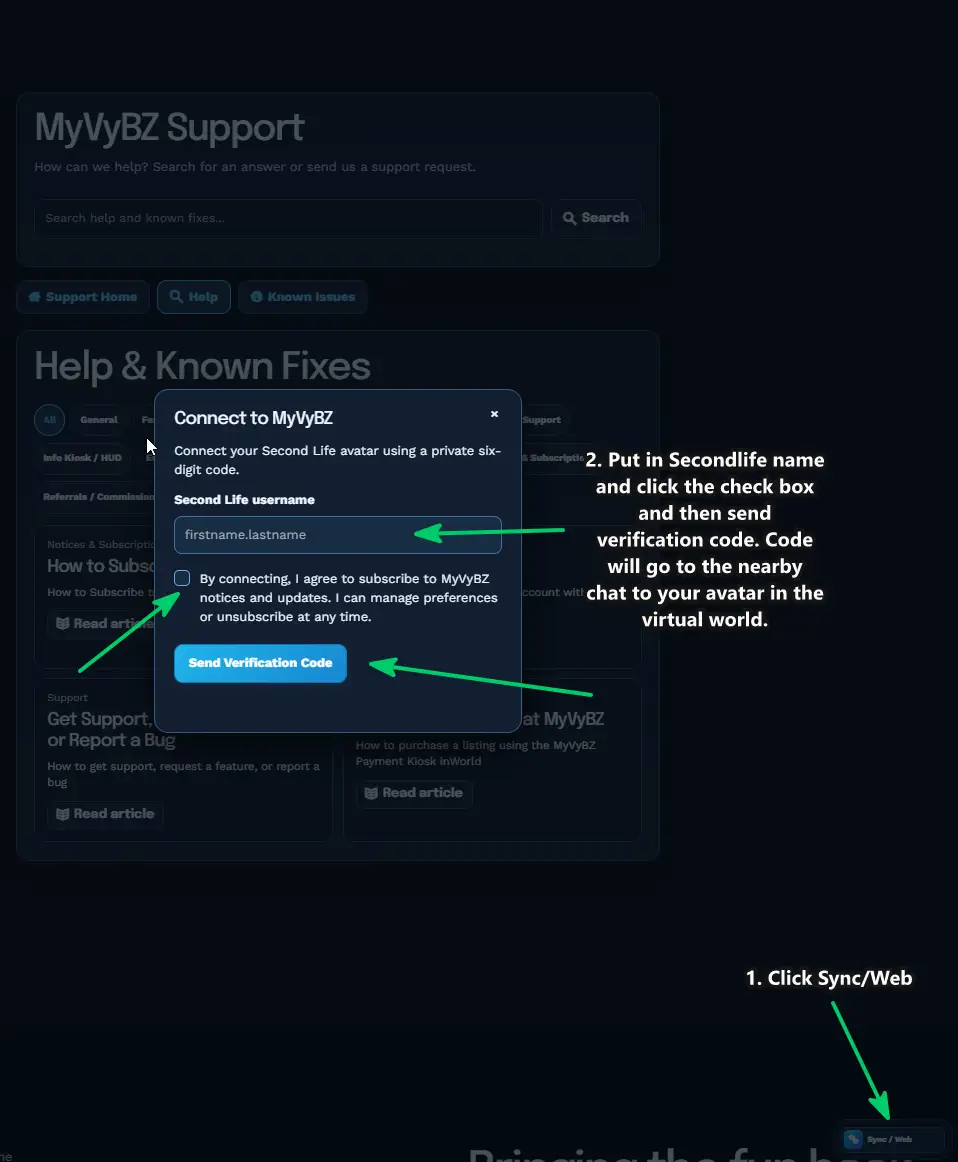
Still need help?
If this article did not solve it, send us the details and we’ll take a look.
Was this helpful?
Sync this browser from your MyVyBZ HUD or Info Kiosk to rate this article.