MyVyBZ Support
How can we help? Search for an answer or send us a support request.
How to Subscribe to MyVyBZ
How to Subscribe to MyVyBZ
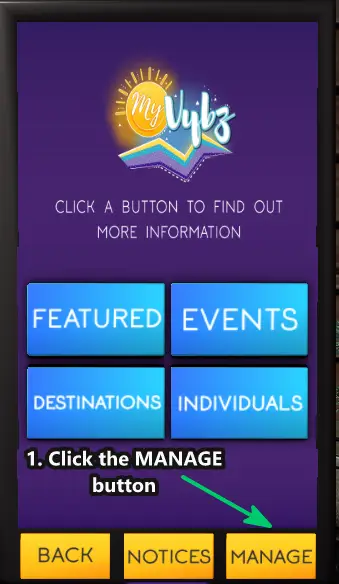
First; Open your MyVyBZ Hud or go to a MyVyBZ Info Kiosk.
1. Click on MANAGE
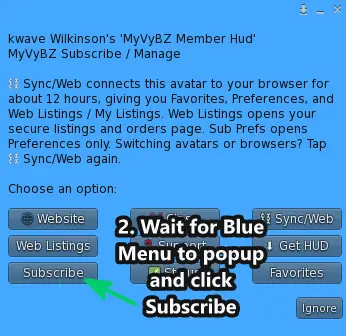
2. Then click on Subscribe from the blue menu
Still need help?
If this article did not solve it, send us the details and we’ll take a look.
Was this helpful?
Sync this browser from your MyVyBZ HUD or Info Kiosk to rate this article.